
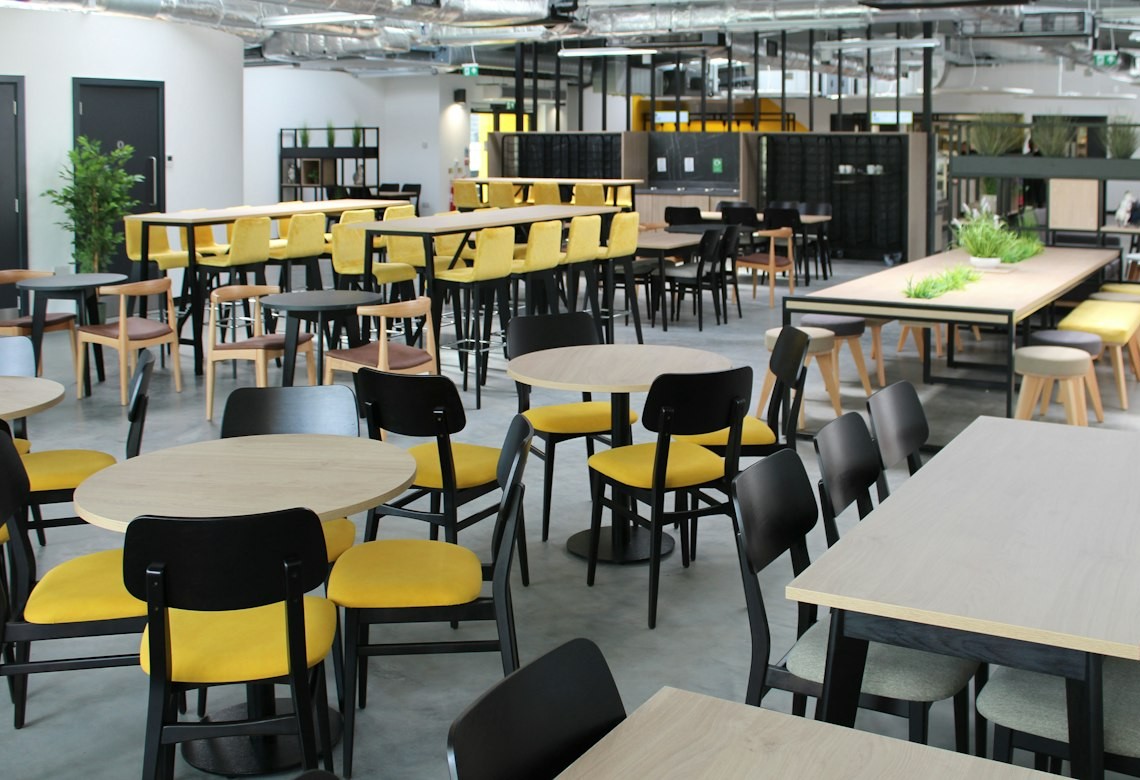
Breakrooms are becoming more useful, efficient and responsive as connected appliances and digital services move into shared workplace spaces.
Simple upgrades such as contactless payments, automated stock alerts and energy monitoring can reduce everyday admin whilst giving employees a more reliable place to pause.
The best results come from solving genuine problems, such as long queues or empty shelves, instead of installing technology for novelty value.
A modern setup doesn’t need to appear futuristic or require a complete refurbishment.
Businesses can often improve an existing breakroom one appliance or process at a time, measuring how each change affects running costs, maintenance and employee use.
The Rise of Contactless Convenience
Contactless systems have changed what employees expect from workplace refreshment areas.
Card readers, mobile wallets and QR-based ordering let people buy food and drinks without carrying coins or waiting for somebody to handle a transaction.
This can be especially useful during short breaks, when several colleagues may arrive at once.
Connected coffee machines can offer similar convenience.
Some models let employees save their preferred drink, adjust milk or strength settings through a screen and start an order without repeatedly touching shared controls.
These features reflect the wider growth of smart everyday technology, which uses connected devices to simplify routine tasks.
Convenience still needs to work for everyone.
A card-only system may exclude visitors who don’t have a suitable payment method, whilst an app-dependent setup can frustrate people who don’t want to create an account.
Before changing the payment system, ask staff which methods they currently use and check that guests can make purchases without a lengthy registration process.
The physical layout matters too.
Place payment points where users can see them easily, leave enough room for people to browse without blocking a doorway and display prices clearly.
If employees must scan a code, make sure it remains readable under the room’s lighting.
These small details determine whether a contactless service actually saves time.
Smarter Energy and Inventory Tracking
Smart plugs, appliance timers and energy monitors can show facility managers how much electricity breakroom equipment uses throughout the working week.
A drinks chiller may need to run continuously, for example, but a display screen or hot-water appliance could follow a schedule that matches office hours.
Monitoring real consumption for two to four weeks provides a useful baseline before any settings are changed.
Avoid switching equipment off without checking the manufacturer’s guidance.
Some appliances require a stable operating temperature, whilst repeated restarts may increase wear.
Energy data should support sensible scheduling and maintenance decisions, not automatic shutdowns that could affect food quality or equipment life.
Inventory tracking solves a different but equally common problem.
Sensors and connected management platforms can record sales, flag low stock and identify products that regularly remain unsold.
This is one of the practical ways workplace technology is changing the traditional staff kitchen and refreshment area.
Useful reports should answer straightforward questions.
Which items sell out before Friday?
What time does demand peak?
Which products occupy space without generating regular sales?
A four-week comparison may reveal that sparkling water sells quickly after lunchtime, whilst a particular snack rarely moves.
The person managing supplies can then adjust quantities gradually.
Set alert thresholds carefully.
A notification every time one item sells creates noise and encourages people to ignore the system.
Alerts for low stock, unusual temperature changes and equipment faults are more useful because each one calls for a clear action.
Investing in Modern Refreshment Setups
Start with the workplace’s actual usage pattern before choosing equipment.
A site with 30 employees who work similar hours has different needs from a building with 200 people arriving across several shifts.
Review daily headcount, break times, available floor space and the distance to nearby shops.
These details help establish the right capacity and prevent unnecessary spending.
Businesses should also decide who will manage prices, stock and product selection; self-operated vending solutions can suit facility managers who want direct control over their machines while retaining access to professional technical support, planned maintenance, repairs and sales insights.
This model requires somebody on site to take ownership of routine operational decisions, so responsibilities should be agreed before installation.
Ask suppliers practical questions during the comparison stage:
- Which payment methods does the equipment accept?
- How quickly are faults acknowledged and repaired?
- Can the machine report sales and stock levels remotely?
- Which equipment models are compatible with the support service?
- Who handles cleaning, replenishment and price changes?
Calculate costs over the expected working life of the setup.
The purchase or rental figure is only one part of the budget.
Payment processing, electricity, maintenance, replacement parts and connectivity fees may all affect the annual total.
A short trial can expose problems before a wider roll-out.
Place one unit in a busy location for six to eight weeks, then compare sales, downtime and employee comments.
Keep the measures simple.
Reliable availability, sensible product turnover and manageable administration offer a clearer picture than novelty-driven engagement during the first few days.
Enhancing Daily Workplace Experiences
A breakroom works best when it supports a genuine pause in the day.
Technology can remove small frustrations, but seating, lighting, cleanliness and noise still shape the experience.
An advanced drinks machine won’t compensate for a cramped table or a refrigerator that nobody is responsible for cleaning.
Think about different types of break.
One employee may want five quiet minutes with a hot drink, whilst another group may use lunch to catch up.
If space allows, create a quieter corner away from the busiest appliances and keep circulation routes clear.
Charging points can be useful, although filling every seat with screens may make it harder for people to switch off.
Insights into the smart breakroom experience also highlight the connection between useful amenities and employees’ daily perception of the workplace.
That doesn’t mean every office needs expensive equipment.
Consistency tends to matter more: products should be available, appliances should work, and faults should be addressed promptly.
Collect feedback after employees have had enough time to use a new setup.
A short monthly survey with three questions can reveal more than a long annual form.
Ask which feature saves time, what regularly causes frustration and which one change would improve the space.
Usage data can then be checked against those answers.
Low sales might reflect poor product choice, for example, or it could mean the machine is hidden on another floor.
Accessibility should be reviewed in person.
Check screen height, button size, colour contrast and the space available in front of each appliance.
Instructions should use plain language and remain visible without requiring a phone.
Where digital controls are unavoidable, provide a simple alternative or clear help details.
The most effective upgrade will often be the one employees barely notice because it works every day.
A well-stocked machine, a quick payment process and a clear response when equipment develops a fault can turn the breakroom into a dependable part of the workplace instead of another source of minor irritation.
Hope you’ve found our article, Smart Tech Upgrades Shaping the Modern Breakroom useful.
Thank you for taking the time to read my post. If you’d like to add a comment or thought on this post, please use the comments section below. I can also be contacted via the online contact form. Keep up to date with the latest news on social media.