
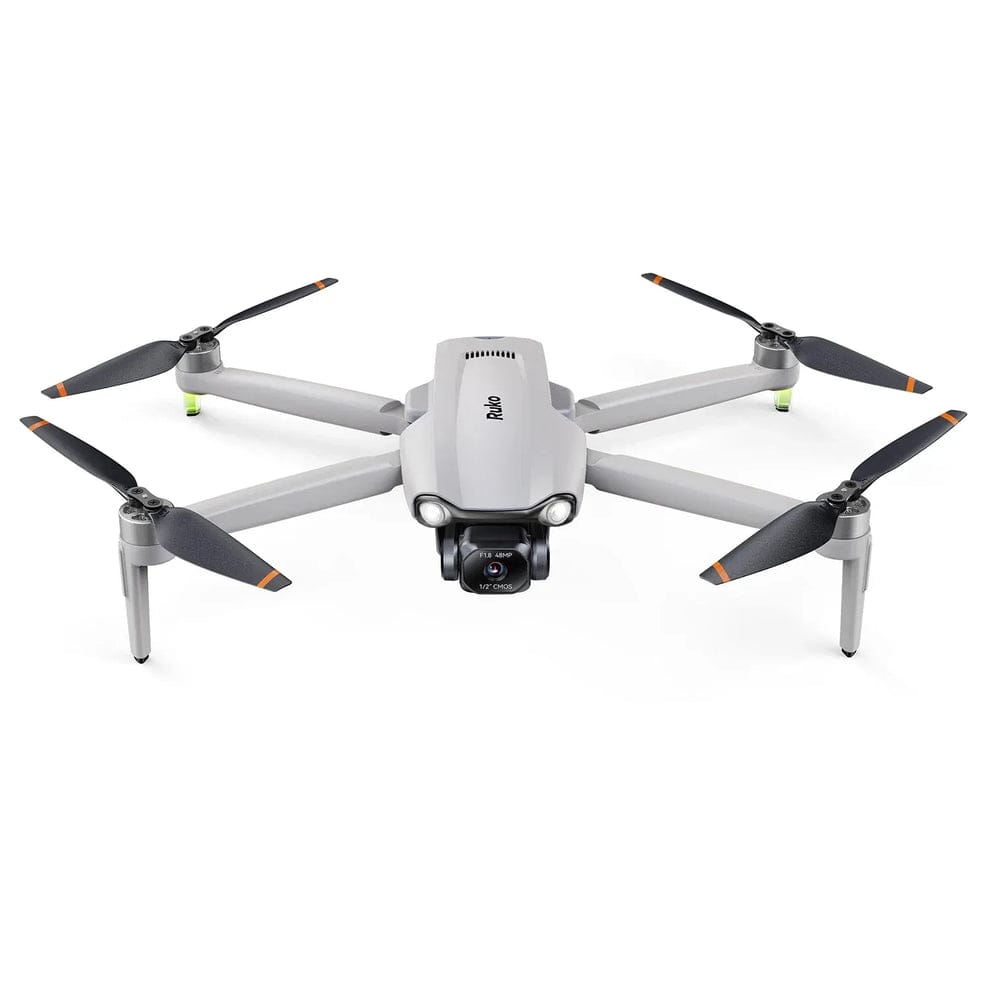
Are you wondering if a premium, feature-packed drone can truly offer genuine 4K cinematic recording capabilities, or if it’s stable enough for a beginner to fly without constant worry of losing signal, and still boast advanced hardware like a 3-axis gimbal and a massive flight range?
Today, I’m looking into the world of aerial photography with the Ruko F11PRO 2 Plus Drone, a robust and high-spec option designed to elevate your filming experience.
The world of drones has captivated enthusiasts and professionals alike.
They offer breathtaking aerial perspectives previously unimaginable.
From capturing stunning landscapes to providing unique vantage points for events, drones have become an indispensable tool for content creators and hobbyists.
However, for many, moving past basic mini-drones means dealing with complex calibration, shaky footage, and fear of losing signal at a distance.
This is where drones designed with advanced mechanical stabilisation and extended transmission ranges truly shine.
Ruko aims to make professional-grade aerial photography accessible and enjoyable without the enterprise price tag.
The F11PRO 2 Plus, with its robust design, 3-axis mechanical gimbal, 48MP sensor, and promise of a massive 20,000ft transmission range, looks set to do just that.
But how does this Ruko F11PRO 2 Plus Drone perform when put to the real-world test?
Following my previous testing with the ultra-lightweight Ruko U11MINI 4K Drone, I was incredibly eager to see how this larger, more premium sibling steps up the game.
The Ruko F11PRO 2 Plus Drone promises a major blend of pro-performance features and user-friendly controls.
This makes it an ideal choice for outdoor adventurers, landowners, and those seeking a highly reliable, long-range aerial companion.
Right then, let me unfurl its propellers and see exactly how the Ruko F11PRO 2 Plus Drone stacks up!
Packaging and Contents
The Ruko F11PRO 2 Plus Drone arrives in a well-organised and highly protective package.
This is typical of a product designed for rugged outdoor use and convenient travel.
The inclusion of a form-fitting carrying shell case right out of the box is a fantastic addition.
It ensures the larger drone body and its heavier accessories remain completely secure during transport.
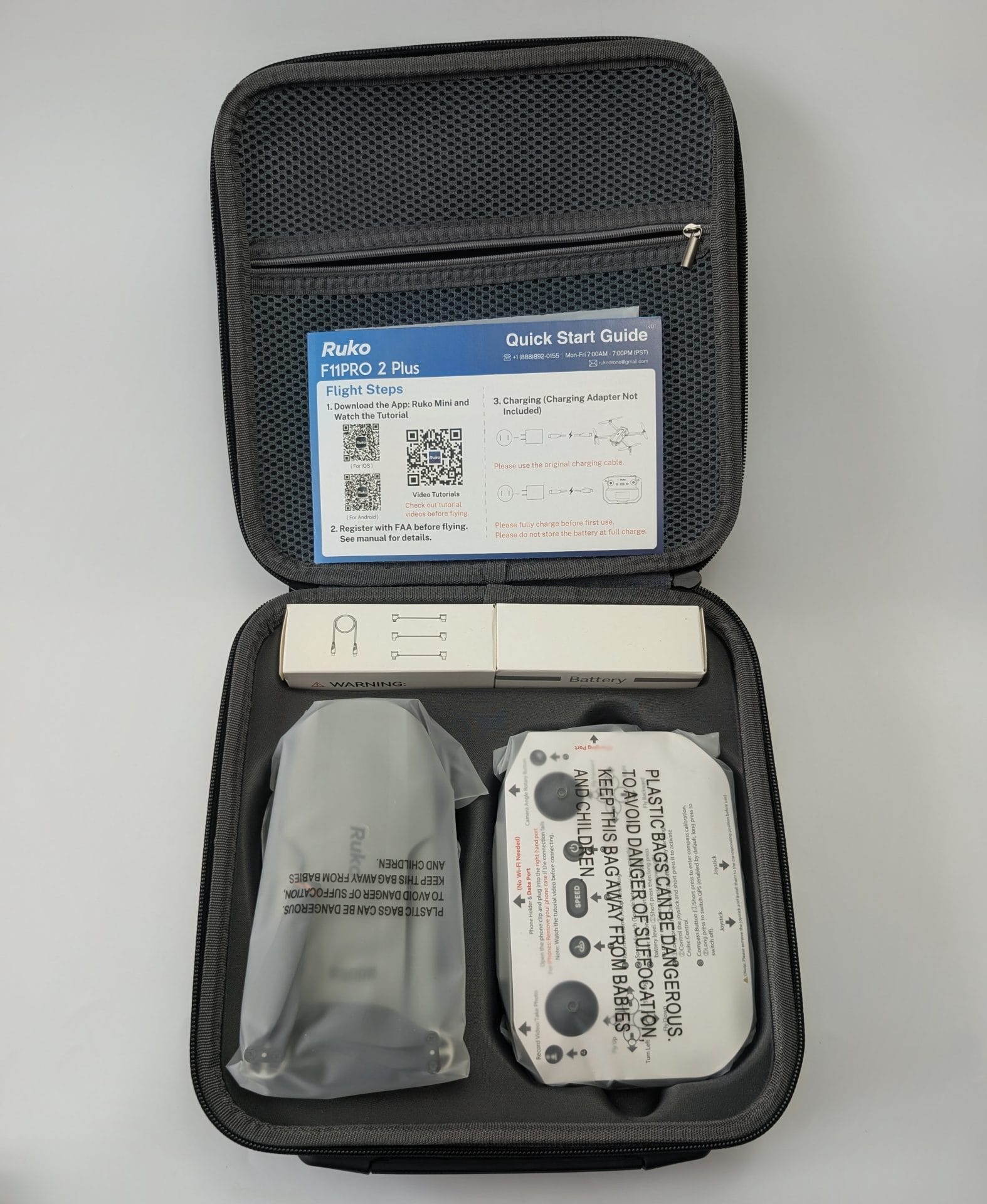
The package contents are comprehensive.
They provide everything you’ll need to get started and keep flying for extended periods:
- 1 x Ruko F11PRO 2 Plus Drone
- 1 x Rechargeable Remote Control
- 1 x Gimbal Protective Cover
- 2 x Intelligent Flight Batteries
- 1 x Carrying Shell Case
- 1 x User Manual & Quick Start Guide
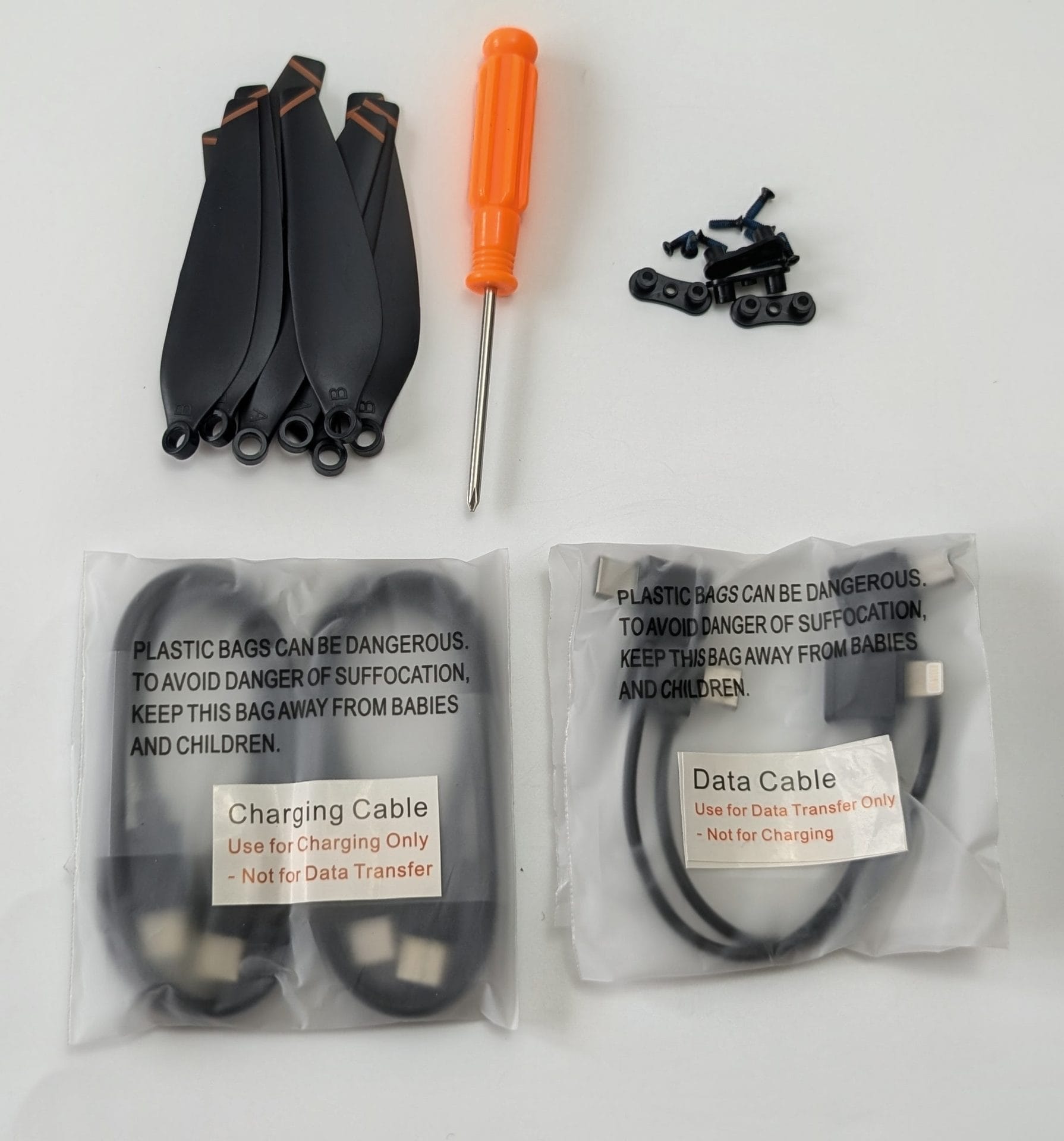
- 1 x USB Charging Cable (Note: Charging adapter is not included)
- 3 x Data Cables (USB-C to Micro-USB, USB-C to USB-C, and USB-C to Lightning)
- 1 x Complete Set of Accessories (Extra Propeller Blades, Screws, and Screwdriver)
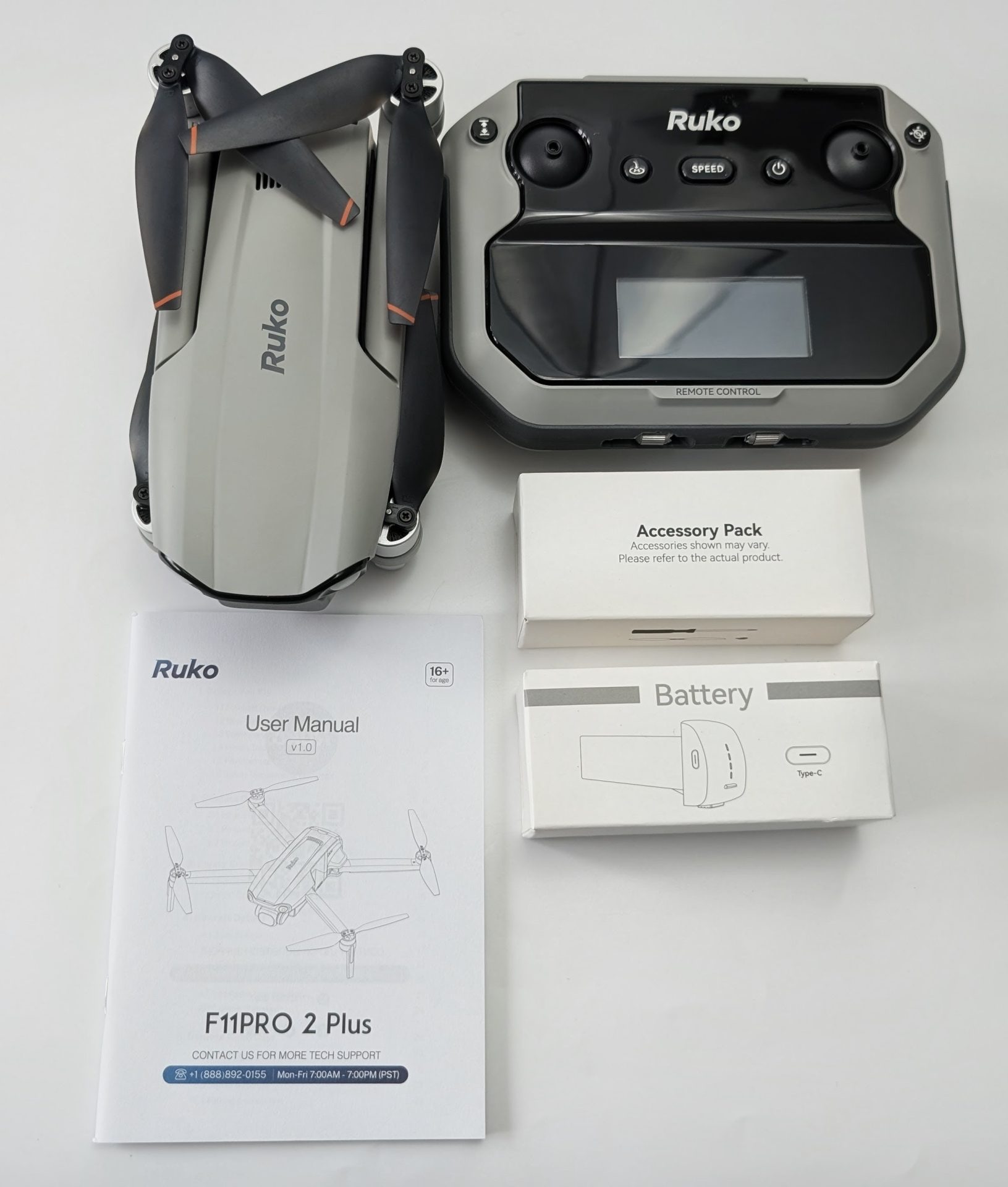
This generous array of accessories, particularly the three individual device cables and the heavy-duty shell case, significantly enhances the out-of-box experience and overall value.
Design, Build Quality, and Durability
The Ruko F11PRO 2 Plus Drone impresses immediately with a design that heavily prioritises structural integrity and high-wind performance.
Unlike the sub-249g U11MINI, the F11PRO 2 Plus weighs in at 357g.
This added weight firmly places it into a different category, meaning UK flyers will need to ensure they are fully registered and compliant with CAA requirements for drones over 250g.
However, that extra weight pays massive dividends when it comes to stability and presence in the air.
Its foldable arms allow it to shrink down into a very manageable form factor despite its larger overall footprint.
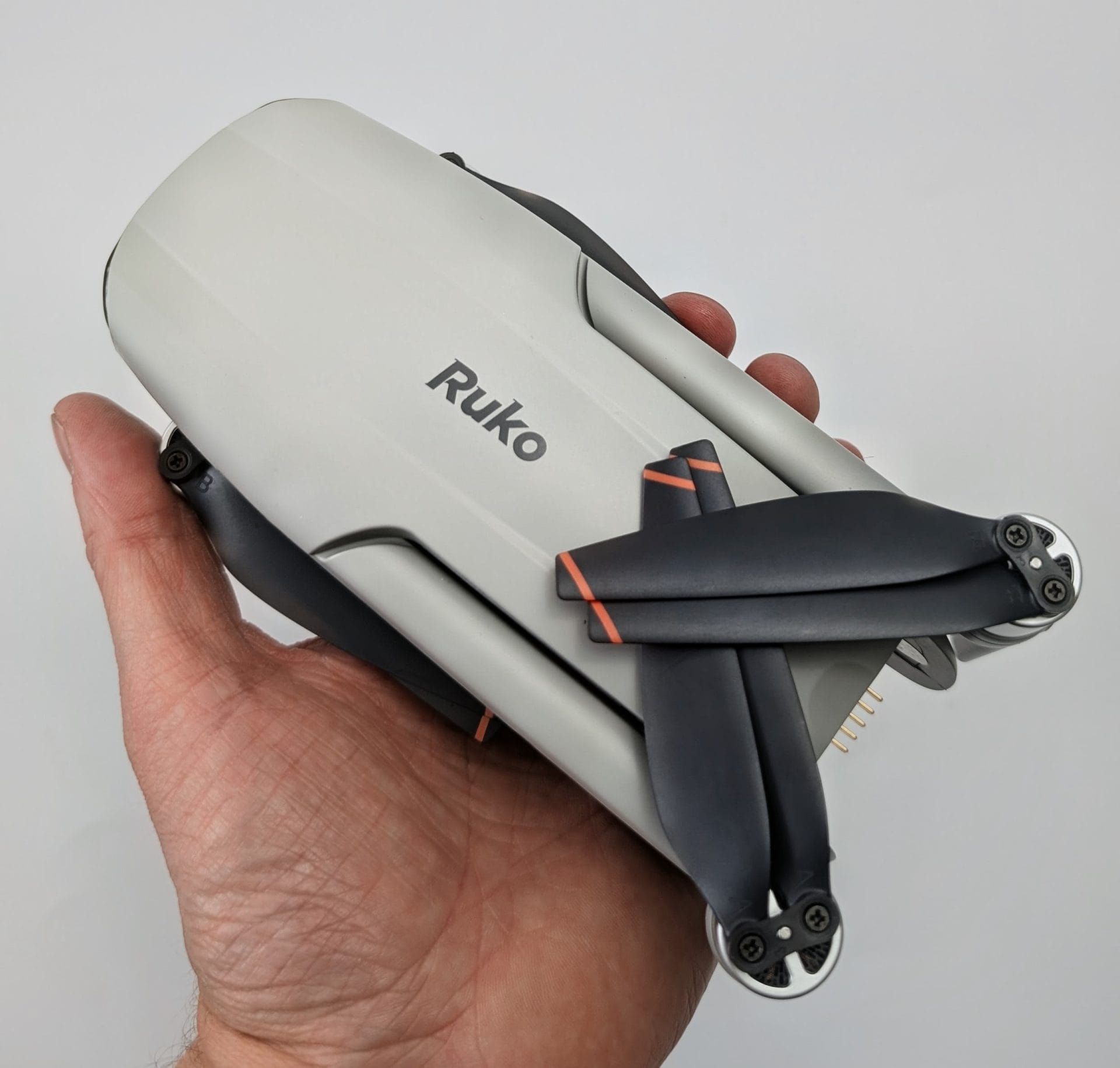
Crafted with premium, heavy-duty materials, the chassis feels incredibly robust.
It features powerful, pro-performance brushless motors that offer superb efficiency, a long operational lifespan, and the necessary torque to fight against challenging coastal or high-altitude winds.
A brilliant design touch can be found on the rechargeable remote controller.
When you pull up the mobile device holder, it reveals a hidden compartment containing the USB-C to USB-C data cable.
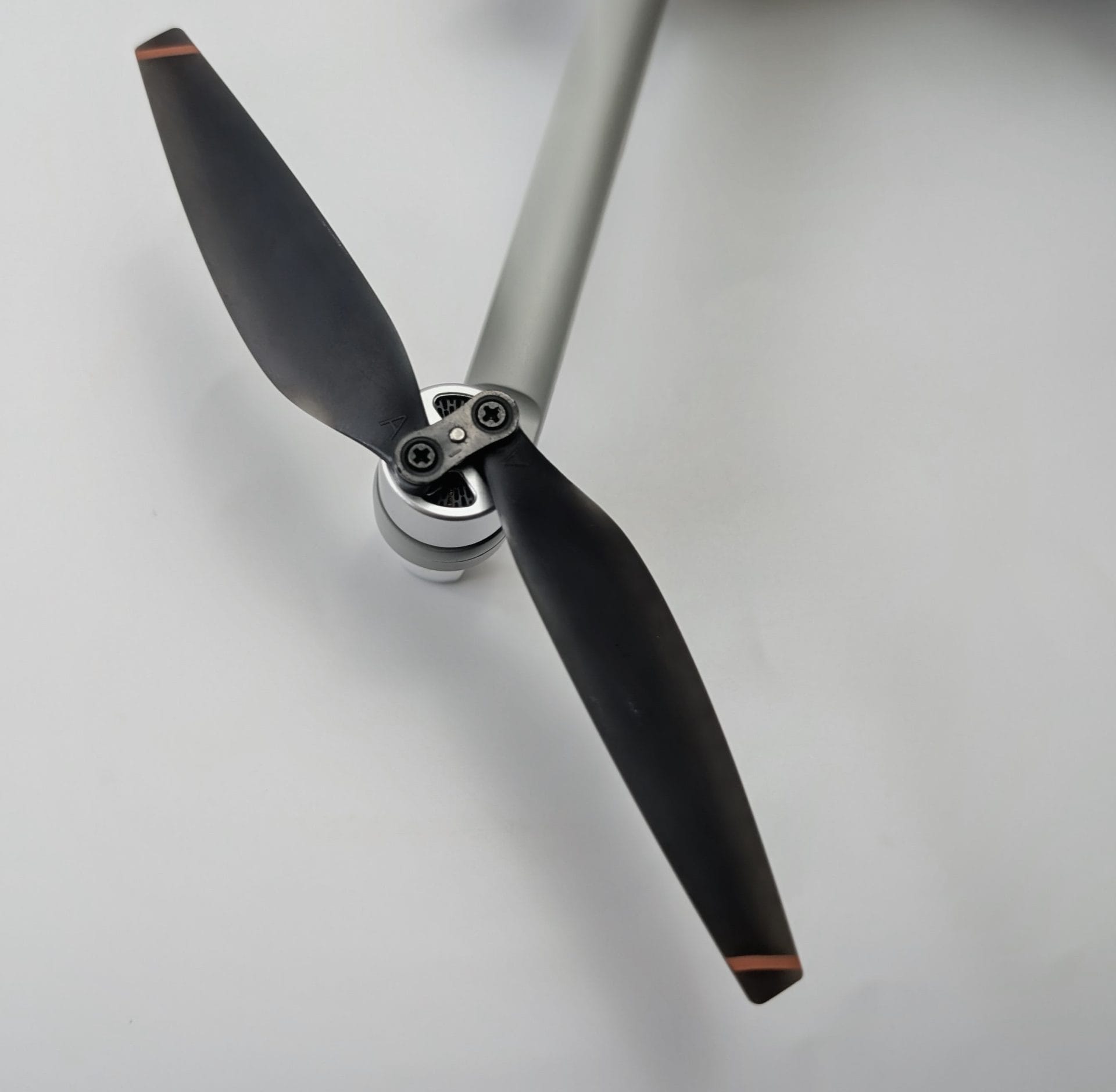
The drone is built like a tank compared to standard mini-drones.
During my flight sessions, it handled gusty conditions with absolute ease, showing zero signs of the typical drift or shuddering that plagues lighter aircraft.
The Ruko F11PRO 2 Plus Drone is built to last and handle the elements.
Camera & Flight Performance
The core headline of the Ruko F11PRO 2 Plus Drone is its massive jump in imaging hardware.
It comes equipped with an upgraded 48MP 1/2-inch CMOS sensor paired with a true 3-Axis Mechanical Brushless Gimbal.
Where many drones in this price class rely on electronic stabilisation, this physical 3-axis mechanical structure actively eliminates shakes, tilts, and vibrations in real-time.
The camera delivers smooth 4K video at 30FPS and massive 48MP 8K photos directly to the onboard Micro SD card slot.
The pro-grade 1/2-inch sensor ensures excellent high dynamic range, making a noticeable difference during high-contrast scenes.
What really stands out is its Impressive Night Footage capability.
The larger sensor layout allows it to capture clear, detailed, and rich images even in low-light conditions, making it possible to film cinematic sunset or evening landscapes beautifully.
When it comes to flight, the F11PRO 2 Plus aims for rock-solid stability.
The combination of GPS and advanced optical flow tracking ensures an incredibly precise hover.
Gimbal Details and Precautions
Because the drone features a genuine, free-moving 3-axis mechanical gimbal, proper care must be taken during setup.
It is completely normal for the camera to look loose or tilted when the drone is powered off.
To protect these sensitive mechanical brushless motors, you must remove the plastic gimbal protective cover before turning the drone on.
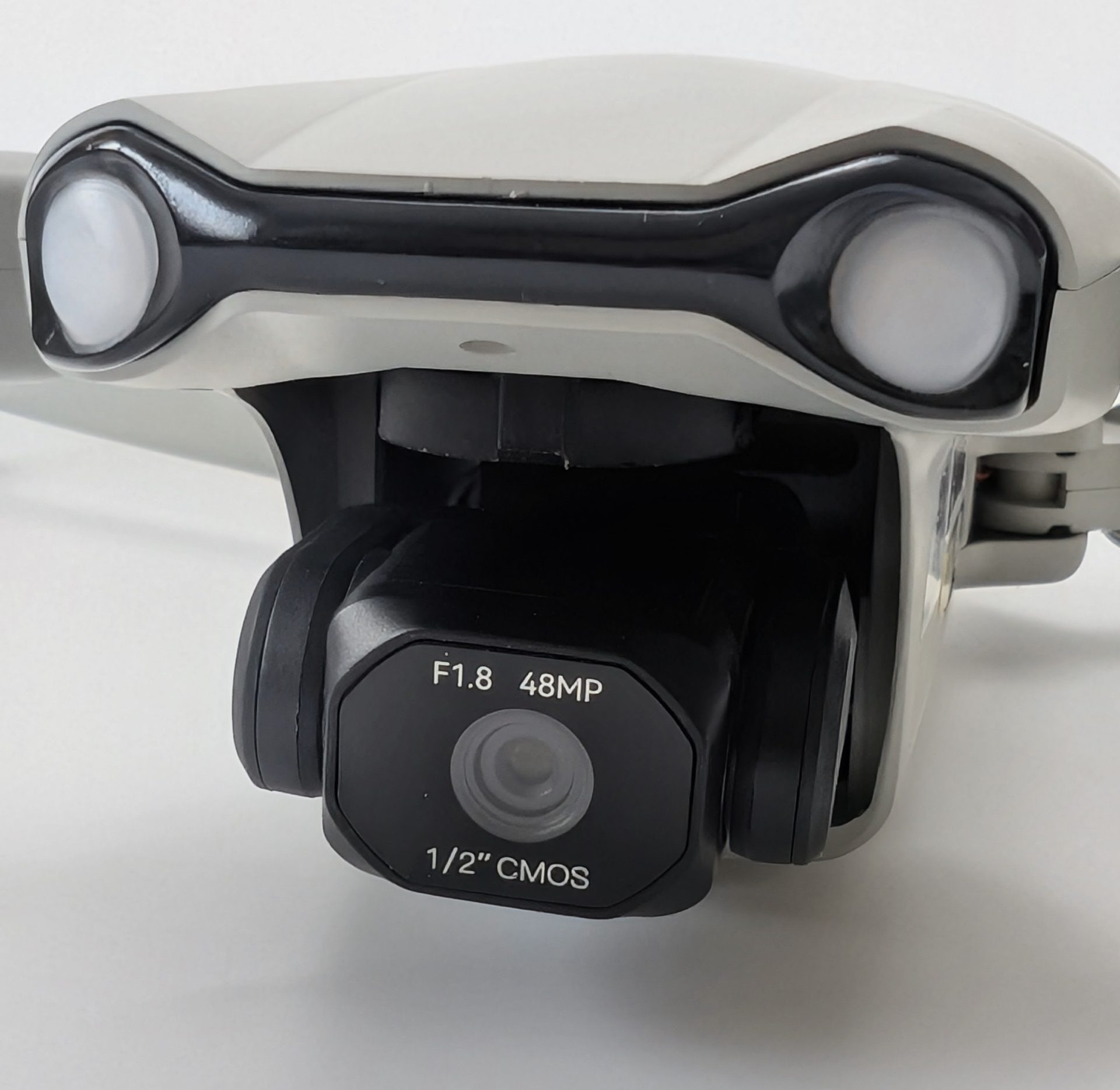
The user manual strongly advises taking off from a completely flat, level surface.
Taking off from long grass or uneven loose gravel can block the camera or cause the gimbal to fail its automatic self-check during boot-up.
Using a dedicated drone landing pad or a rigid piece of cardboard is highly recommended to protect the lens and mechanical alignment.
Flight Time: A Closer Look
The drone is advertised with an exceptional 74 minutes of total flight time, thanks to the inclusion of two 3200mAh Lithium-Ion intelligent batteries.
Ruko states each battery is capable of up to 37 minutes of flight under ideal testing conditions.
In real-world testing, flight times vary based on environment.
When flying in high-speed modes, fighting strong winds, or operating in colder UK temperatures, power consumption accelerates.
Practically, you can expect a solid 28 to 32 minutes of continuous, active filming per battery.
This still results in an incredibly generous 60+ minutes of total real-world airtime across the two included packs, leaving you with plenty of time to scout locations, frame shots, and explore without low-battery anxiety.
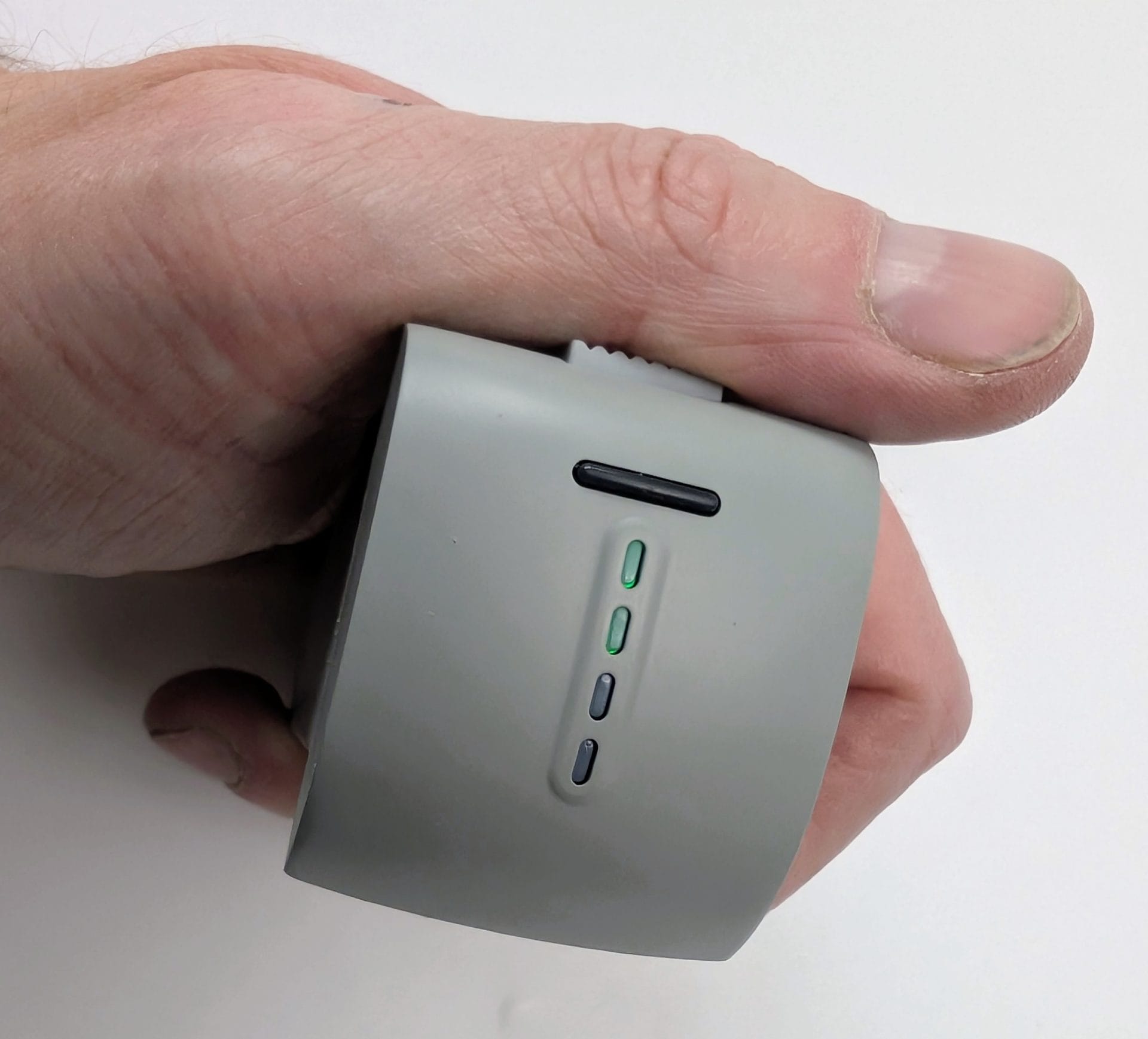
The intelligent batteries feature built-in LED indicators to display current charge levels, and they charge securely via the original cable.
Digital Transmission and Control Range
A massive selling point for the F11PRO 2 Plus is its upgraded digital transmission technology.
It boasts an expansive 20,000ft (approx. 6,000 metres) live video feed range.
This super long range provides an ultra-stable, secure, and lag-free connection back to your smartphone device.
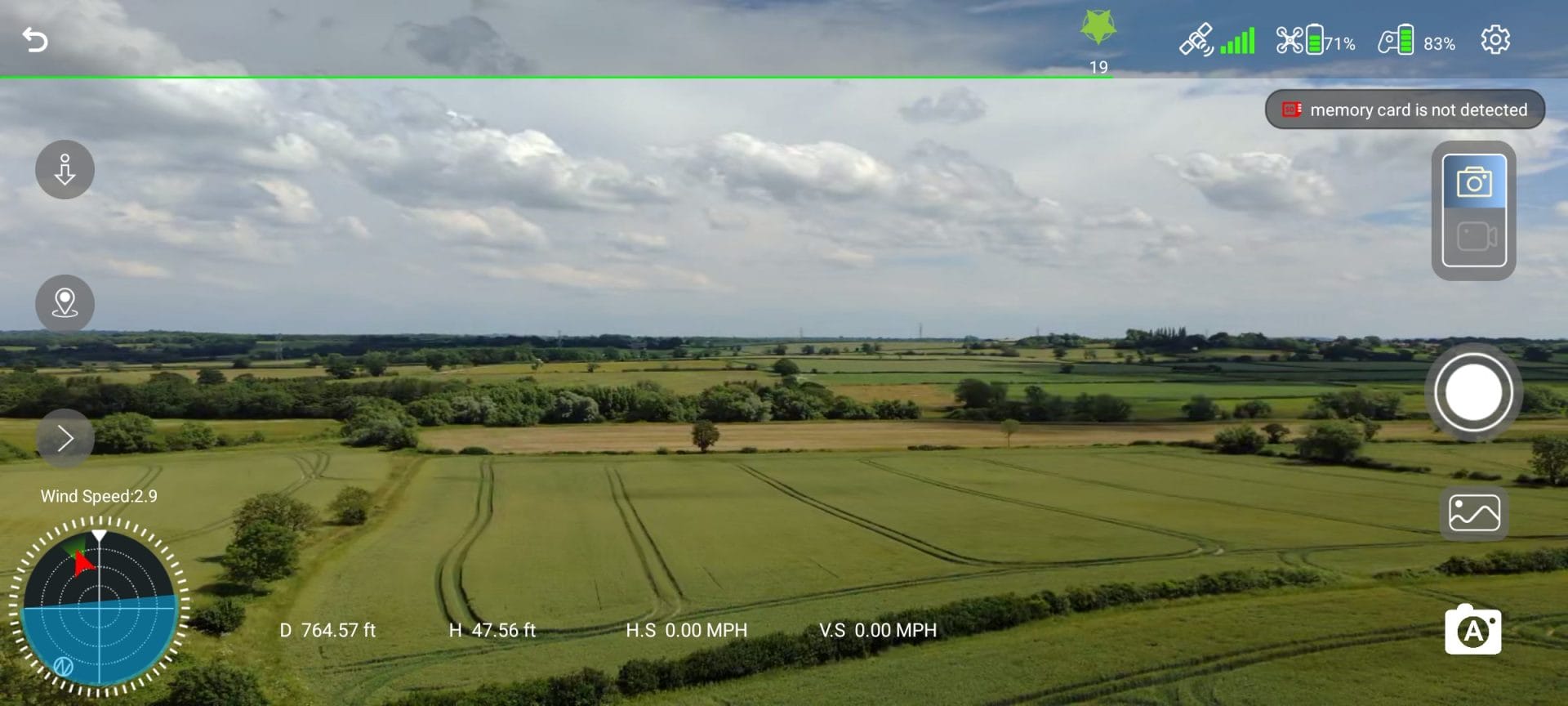
Whether you are a landowner surveying large rural properties or a hiker seeking remote vistas, the digital transmission holds up remarkably well against interference.
Unlike entry-level configuration, such as the standard 5GHz Wi-Fi FPV setups found on smaller units like the U11MINI which tops out around 3,000 meters, the Ruko F11PRO 2 Plus shifts away from basic smartphone Wi-Fi dependencies.
It leverages specialised point-to-point digital transmission frequencies to maintain a live video feed over distances reaching up to 20,000 feet under optimal line-of-sight conditions.
Even at long distances, the real-time FPV stream on your phone remains crisp and reliable.
User Friendly Features
Despite its pro-level specifications, the Ruko F11PRO 2 Plus remains highly accessible.
It easily balances advanced hardware with beginner-friendly controls.
Key features contributing to its accessible nature include:
- Wireless OTA Firmware Updates: The drone can be easily optimised over-the-air via the app, ensuring your investment improves over time with the latest flight performance tweaks.
- The “Ruko Mini” App: The accompanying mobile application features an intuitive, clean interface that displays critical flight telemetry, battery levels, and camera controls cleanly.
- Precise Take-off Sequence: Starting the powerful motors involves a simple, deliberate two-second combination of pushing both control joysticks to the 5 and 7 o’clock positions, followed by a push up on the left stick to lift off smoothly.
- The 98-Foot Beginner Ceiling: Out of the box, the drone is locked into a safety “Beginner Mode” which restricts it to a 98-foot radius. To unlock the full long-range capabilities, you simply toggle Beginner Mode off in the app settings and save.
Indicators and Alerts
The F11PRO 2 Plus provides excellent visual and software feedback to keep the pilot informed.
The system will not allow a standard safe takeoff until the “Ruko Mini” app confirms a proper GPS search is complete, requiring at least 3 bars of signal and a connection to a minimum of 8 satellites.
The physical remote controller features clear battery indicators, alongside instant audio alerts if the aircraft battery dips below safe thresholds.
Advanced Features & Auto Return Home: A Reality Check on Accuracy
Beyond its core photography capabilities, the integrated smart GPS opens up excellent automated safety modes, including a single-button One-Key Return and automatic Return to Home (RTH) if your battery dips low or the controller signal drops.
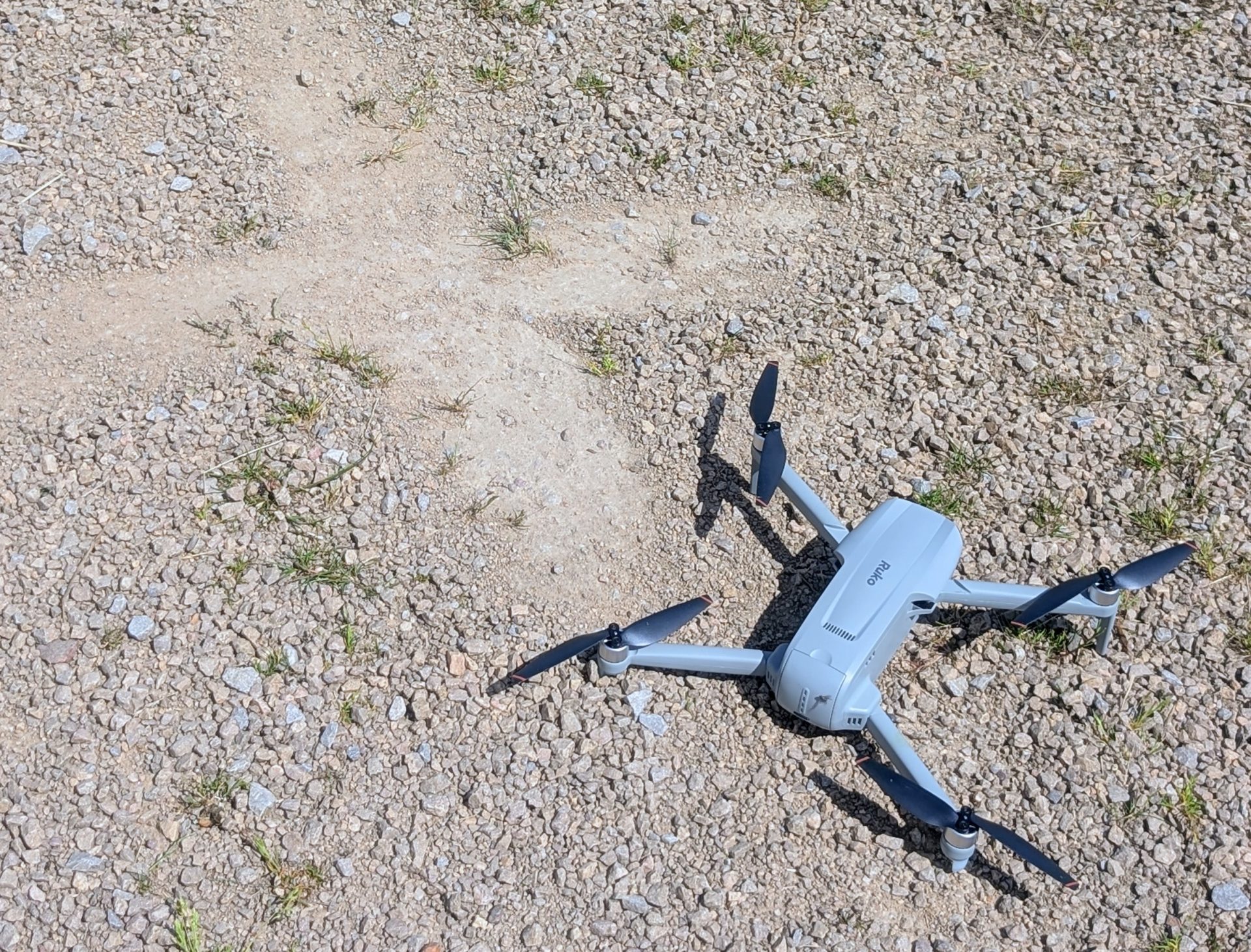
- Smart GPS & Auto Return Home (RTH): Designed for complete peace of mind, the drone features one-key return and automatic Return to Home if the battery gets low or if the controller signal is ever lost.
- Dynamic RTH Logic: The return rules are highly intelligent. If the drone distance is within 16 feet of the takeoff spot, it will simply land directly where it is. If it is further away, it evaluates its current altitude against the default return height (65ft) to safely ascend or fly back directly, ensuring it clears any regional obstacles.
However, putting the RTH function through real-world testing revealed a noticeable difference in performance compared to smaller models.
While the Ruko U11 Mini was remarkably accurate, often landing consistently within a few centimeters of its original takeoff spot, the heavier F11PRO 2 Plus is a completely different story.
During my test flights, the RTH function successfully brought the aircraft back to my general location, but its landing accuracy left a bit to be desired.
It regularly landed about 1 meter out from the exact point of takeoff.
While a 1-meter variance might not sound like much on paper, in practical field conditions, that shift can easily mean the difference between a clean landing and the drone tipping over into long grass, gravel, or nearby obstacles.
If you are flying in tighter spaces, relying blindly on the automated return without taking manual control for the final touchdown is a risk.
🛸 The Landing Sensor “Quirk”
Another crucial real-world behavior I encountered occurs during the final descent phase.
Occasionally, whether initiating an automated landing sequence or bringing the drone down completely manually via the controller joysticks, the aircraft displays a bit of landing indecision.
Instead of touching down smoothly, the drone will occasionally hover a few feet off the deck, continuously rising and lowering a few inches as if it refuses to commit to the ground.
This behavior points directly to the downward optical flow and positioning sensors reading the surface textures underneath it.
If the sensors register that something is “off” with the ground texture, shadow alignment, or light reflections, the internal software hesitates to cut the motors.
When this happens, the best approach is to maintain a steady downward pull on the left joystick to override the sensor’s hesitation, or ensure you are using a completely flat, highly visible contrast landing pad to give the sensors a clear, unambiguous surface to read.
Storage & Media: Navigating the MicroSD Quirk
The physical frame of the drone features a slot rated to accept MicroSD cards anywhere from 32GB up to 256GB.
However, experienced flyer feedback and technical documentation reveal an internal architectural bottleneck: to guarantee absolute stability and protect against corrupted files or dropped frames while recording uncompressed 4K video, you should strictly limit your choice to 128GB or smaller U3/V30 high-speed cards.
Furthermore, there is a cross-platform compatibility hurdle to keep in mind.
If you format a large-capacity card solely inside the drone via the automated application menu, the internal configuration can leave the volume unrecognisable when you plug it into a Mac or Windows PC to edit your raw files.
The Step-by-Step Desktop Formatting Workaround:
To avoid data drops and secure seamless file transfers, configure your card on a computer before your first flight:
- Pop the MicroSD card into your computer’s built-in slot or an external USB 3.0 reader.
- Open your system’s disk management tool (File Explorer on Windows or Disk Utility on Mac).
- Select the card and choose Format.
- Explicitly select the FAT32 file system format.
- Set your allocation unit size to its default maximum capacity and click format.
Once this initial computer setup is complete, insert the card into the drone slot.
You can safely top it off or clear space using the app menu later, knowing your PC or Mac will flawlessly index the folder path when you return from the field.
Compliance & Technical Specifications
The Ruko F11PRO 2 Plus Drone meets strict international and regional standards, assuring safe operation.
Here are the key technical specifications for the Ruko F11PRO 2 Plus:
- Weight: 357g
- Camera Sensor: 1/2-inch CMOS
- Photo Resolution: 48 MP (8K resolution interpolation on SD card)
- Video Resolution: 4K UHD @ 30FPS
- Gimbal: 3-Axis Mechanical Brushless
- Max Range: 20,000 Feet (Digital Transmission)
- Advertised Flight Time: Up to 37 Mins per battery (74 Mins total)
- Battery Capacity: 3200 mAh Lithium-Ion
- Companion App: Ruko Mini
- Firmware Delivery: Wireless OTA (Over-The-Air) Updates
Availability & Purchasing
The Ruko F11PRO 2 Plus package comes backed by dedicated customer care, including a standard 30-day return/exchange window and 90-day product coverage.
For UK buyers looking to secure the drone or additional parts, Ruko ships internationally from their main platform.
Keep in mind that pricing, transactions, and additional battery purchases (starting from standard premium accessory tiers) are processed primarily in US Dollars ($), so be mindful of your bank’s current exchange rates and international transaction terms.
Final Thoughts
The Ruko F11PRO 2 Plus Drone presents an incredibly compelling package for those looking to graduate from basic mini-drones into a serious, wind-resistant aerial photography platform.
While its 357g weight means you need to be mindful of local registration compliance, the structural advantages are massive.
It offers a level of heavy-duty stability, range, and wind resistance that sub-249g drones simply cannot match.
The upgrade to a true 1/2-inch 48MP CMOS sensor and a physical 3-axis mechanical gimbal elevates the visual quality drastically over older models like the U11MINI, delivering smooth, cinematic 4K video and beautiful low-light evening shots.
With its massive dual-battery flight time, smart GPS safety return rules, and premium hard-shell carrying case, it minimises flight anxiety while maximising creative potential.
However, keep an eye on its landing accuracy down the stretch, and be prepared to take over the sticks for the final few feet to ensure a safe, clean touchdown.
Pros and Cons
After putting the Ruko F11PRO 2 Plus Drone through its paces, here’s a quick rundown of its key strengths and points to consider:
Pros
- Superb 3-Axis Mechanical Gimbal: Actively eliminates tilts and shakes for genuinely smooth, cinematic footage.
- Upgraded 1/2-Inch 48MP Sensor: Offers high dynamic range and highly impressive low-light/night photography.
- Massive 20,000ft Range: Strong, stable digital transmission ensures a reliable live feed at long distances.
- Exceptional Flight Airtime: Two heavy-duty 3200mAh batteries provide a practical 60+ minutes of combined real-world use.
- Intelligent GPS Safety: Dependable Auto-Return Home (RTH) logic protects the aircraft against signal loss or low power.
- Rugged Wind Resistance: Heavier 357g frame handles moderate to strong winds with ease.
- Smart Tech Design: Wireless OTA firmware updates and a hidden data cable track inside the controller.
- Premium Case Included: Comes standard with a durable hard-shell carrying case and a complete cable set.
Cons
- Weight Classification: At 357g, it sits above the sub-249g threshold, requiring registration compliance in regions like the UK.
- RTH Landing Variance: Less precise than the U11 Mini, routinely landing roughly 1 meter away from the exact takeoff spot.
- Landing Sensor Hesitation: Downward sensors can occasionally get confused by surface textures, causing the drone to bounce up and down slightly rather than touching down smoothly.
Purchase Options
If you’d like to purchase this item, please check out the purchasing options below.
The RRP for this product is $559.99.
Ruko Website | Amazon | eBay |
Product sample provided by Ruko in exchange for a detailed, unbiased review.
Thank you for taking the time to read my post. If you’d like to add a comment or thought on this post, please use the comments section below. I can also be contacted via the online contact form. Keep up to date with the latest news on social media.